

Screen Mirror
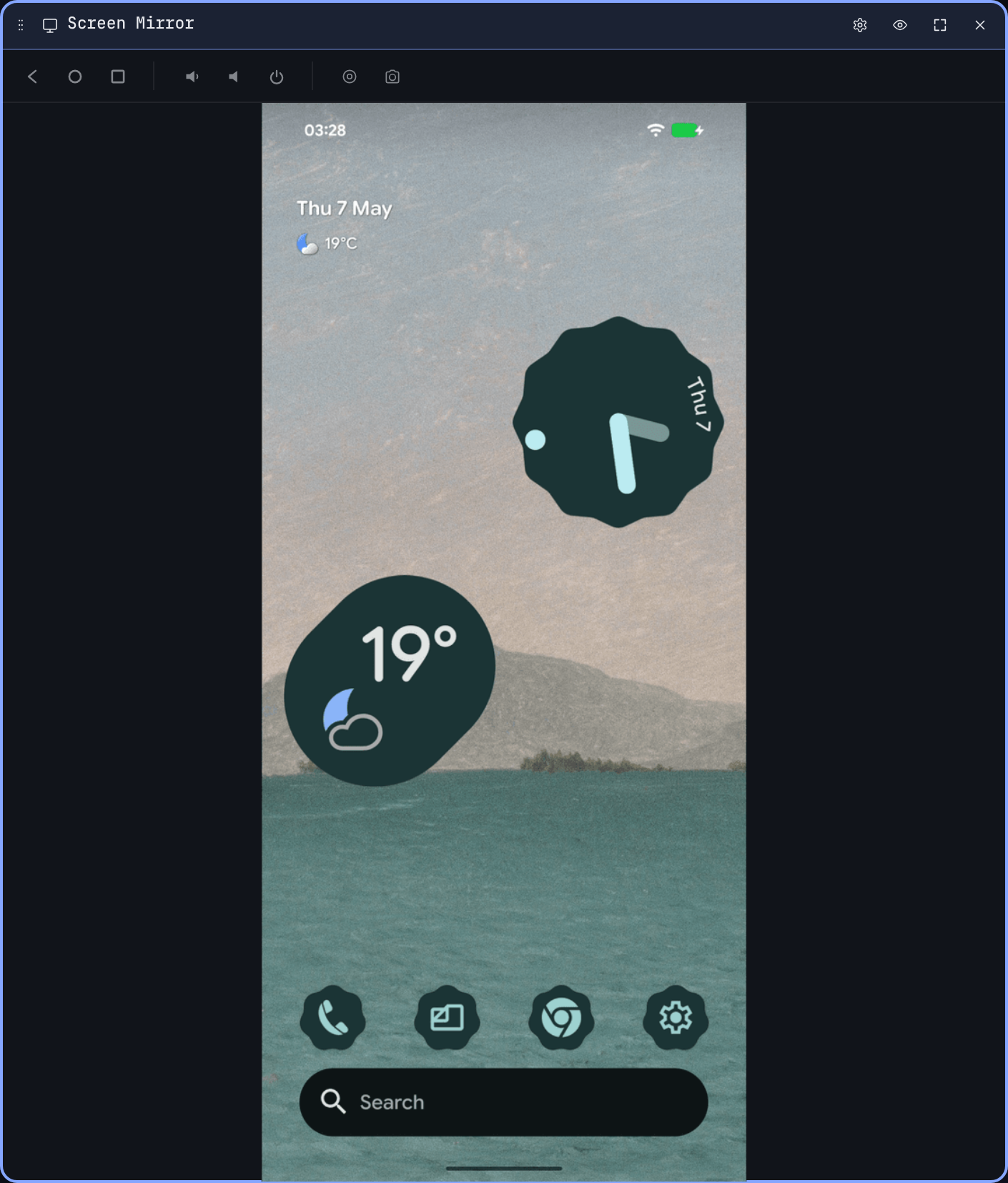
The Screen Mirror widget is a scrcpy-style live screen of the device, decoded in the browser via WebCodecs. It's capped at one instance per dashboard so two Mirror tiles can't fight for the same H.264 stream.
How it works
WebLogcat ships a copy of scrcpy-server-v2.7.jar and pushes it to the device on connect. The server captures the screen and streams an H.264 NAL stream back over the ADB transport; the widget decodes it using the @yume-chan/scrcpy-decoder-webcodecs decoder and renders the frames to a <canvas>.
Latency is roughly 50–150 ms over USB on a Pixel — not as tight as a native scrcpy, but indistinguishable for non-game use.
Interaction
- Tap, drag, swipe. Click on the canvas to send tap events. Drag to swipe. Multi-touch is mapped from
touchevents on touchscreens; on a laptop, click counts as a single touch. - Hardware buttons. The bezel renders the standard Android buttons — Back, Home, Recents — plus power, volume up/down, rotate, screenshot, and record.
- Type into the device. Click the canvas first to focus, then type. Backspace, Enter, Tab, arrows and Escape are forwarded as the matching Android keycodes — they no longer leak into the dashboard-level "delete the focused tile" shortcut while the mirror is focused.
- Clipboard sync. With the mirror focused, Ctrl/Cmd+V pastes the host's clipboard into the device's foreground text field. Ctrl/Cmd+C forwards Ctrl+C to the device (which copies the current selection in the foreground app), waits for scrcpy's clipboard auto-sync to report the new value, then writes it to the host clipboard. If nothing is selected on the device, falls back to whatever was last on the device clipboard. Both operations need the browser's Clipboard permission, granted automatically on user activation in a focused tab; a toast surfaces a denial if the browser blocks it.
- Text-editing shortcuts. Mac-standard cursor and selection keys are forwarded to the device's foreground text field:
- ⌘+A — select all (forwarded as Ctrl+A; the browser's own select all is suppressed while the mirror has focus).
- ⇧+arrow — extend selection by character / line.
- ⌘+←/→ — move to start / end of line.
- ⌘+↑/↓ — move to start / end of document.
- ⌘+⇧+arrow — same as the ⌘ shortcuts but extending the selection instead of moving the cursor.
- ⌥+←/→ — move by word (add ⇧ to extend selection).
Open files on device
Drop a file onto the Mirror surface to open it on the device. Two sources are accepted:
- Files widget rows. Already live on the device — the drop just triggers the open.
- Host OS files (Finder / Explorer / browser downloads). Pushed to
/sdcard/Download/<name>first via the ADB sync protocol, then opened.
In either case the open mechanism is the same:
.apkfiles are installed viapm install -r(staged through/data/local/tmpso SELinux is happy on Android 14+).- Anything else fires an
am start VIEWintent with the file's MIME type, letting the device pick a viewer (PDF, image, video, …).
A "Drop to open on device" overlay appears while the drag is over the widget. A toast confirms success or surfaces the failure reason.
Recording
The record button starts an MP4 capture of the live stream — encoded with mp4-muxer directly in the browser, no server round-trip. The recording icon turns red while it's running; click it again to stop. The MP4 is saved to your downloads folder.
Screenshot
The camera icon writes the current frame as a PNG to your downloads folder. Lossless, full device resolution.
Per-widget settings
- Overlay font size. Affects the per-frame stats overlay (toggled via the eye icon).
- Bitrate cap. Trade quality vs. bandwidth. Defaults to 8 Mbps.
- Display rotation. Force portrait, landscape, or auto.
Compatibility
- Mirror needs a Chromium build with WebCodecs (Chrome / Edge 94+). Older browsers fall back to a not supported notice.
- The device needs to be modern enough to run the bundled scrcpy server (Android 7+ in practice).
- Some manufacturers block screen capture from certain apps (banking, DRM-protected video). Those frames render black — that's the device, not WebLogcat.